Roover Graffiti Powerpoint Templates: A Bold Visual Statement
In the world of presentations, standing out is half the battle. We've all sat through slide decks that blur together—corporate blue, generic charts, and forgettable layouts. If you’re a creative professional, entrepreneur, or marketer, your presentation needs to reflect the energy and originality of your ideas. That’s where Roover - Graffiti Powerpoint Templates comes in. This isn’t just another slide deck; it’s a visual toolkit designed for those who want to make an impression. With 40 master slide layouts, a 16:9 widescreen ratio, and a strong focus on modern typography, Roover offers a fresh, urban-inspired aesthetic that breaks the mold of traditional corporate design.
Understanding the Roover Aesthetic: More Than Just Graffiti
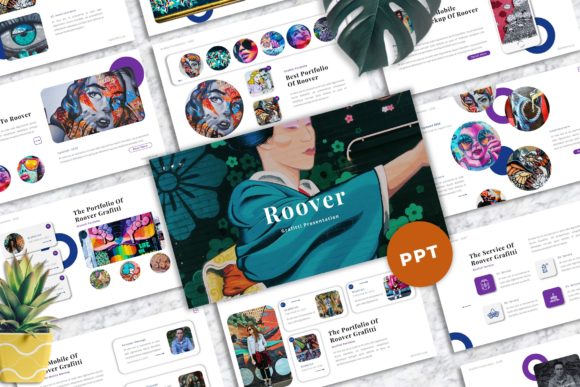
Roover draws its visual personality from street art and urban culture, but it’s been refined for professional use. The templates feature a gritty, textured backdrop that feels authentic without being overwhelming. Think bold, impactful headlines paired with clean, readable body text. The design balances raw energy with usability. You’ll find strong typographic hierarchies—large, commanding display fonts for titles and clean sans-serif fonts for supporting content. This contrast ensures your message is both seen and understood. The inclusion of vector-based icons and unique mockup devices adds a layer of sophistication, allowing you to showcase apps, websites, or products within a cohesive, styled environment.
The real strength of Roover - Graffiti Powerpoint Templates lies in its adaptability. While the graffiti-inspired elements provide a distinct vibe, the underlying structure is built on solid design principles. The layouts are professionally designed with attention to spacing, alignment, and visual flow. This means you can use it for a creative agency pitch, a portfolio showcase for a photographer, or a dynamic company update. The easy color change feature is crucial here. By shifting the color palette, you can move the template from a vibrant, street-art feel to a more subdued, professional tone. It’s a creative font system in presentation form, giving you the assets to build a compelling visual narrative.
Practical Applications: Where Roover Shines
So, where does this template work best? For starters, it’s ideal for any project where you need to capture attention quickly. Marketers can use it for campaign debuts or social media strategy presentations. The bold graphics and picture placeholders make it perfect for showcasing high-impact imagery. Entrepreneurs and startup founders will find the modern typography and clean layouts excellent for investor pitches or product launches. The strong focus on usability means you can drag and drop your own images and content without fighting the design.
For designers and creative agencies, Roover serves as a fantastic internal tool for brainstorming sessions or client reviews. Its unique style can help set the tone for a brand identity project from the very first meeting. Bloggers and content creators can leverage it for media kits or partnership proposals, using the portfolio-style layouts to highlight their work visually. Even for personal use, like a hobbyist presenting a project or a student creating a standout final presentation, Roover provides a professional edge that standard templates lack. The key is to match the template’s energy with your project’s goals. It’s not for a quiet, formal board meeting, but it’s perfect for any scenario where you want to inject creativity and personality.
Making Roover Work for You: A Practical Guide
Adopting a template like Roover is straightforward, but a little strategy goes a long way. First, leverage the 40 master slide layouts. Don’t just pick one and run with it. Skim through them all to understand the variety—some are likely optimized for text-heavy content, others for full-bleed images, and some for data visualization. Planning your content flow before you start designing will save you time and ensure a logical progression.
Font management is critical. The documentation file includes the recommended free web fonts. Install these on your system before opening the PowerPoint file to preserve the intended look. While Roover’s typography is strong, consider your audience. If presenting to a very conservative corporate client, you might use the cleaner sans-serif elements more prominently. The template’s flexibility allows for this kind of adjustment. Always test your presentation in presentation mode on the device you’ll use. Check that animations (if any) run smoothly and that colors render correctly on the projector or screen.
Finally, remember that Roover is a starting point. Your content is the star. Use the drag-and-drop image placeholders to insert your own high-quality photos and graphics. Replace the placeholder text with your concise, compelling copy. The goal is to use the design assets provided to enhance your message, not distract from it. By thoughtfully applying Roover’s bold style to your unique content, you create a presentation that is both memorable and professional, ensuring your ideas get the attention they deserve.