Infographic PowerPoint Templates: A Designer's Practical Guide
Let's be honest, we've all sat through presentations that felt like a chore. Walls of text, confusing charts, and that sinking feeling you'll never get that hour back. The problem is rarely the idea itself, but how it's communicated. This is where a well-structured visual tool changes everything. Infographic PowerPoint Templates are more than just pretty slides; they are a systematic approach to transforming complex data and ideas into clear, engaging narratives. Think of them as a visual language designed specifically for clarity and impact, built directly into the software you already use.
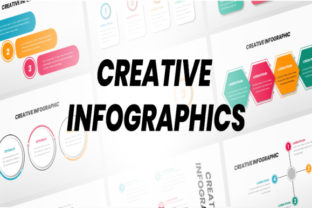
At its core, an infographic template is a pre-designed framework for storytelling. Unlike a standard slide deck that might rely on bullet points, these templates use a combination of icons, timelines, process flows, and data visualizations to guide your audience. The visual style is clean, modern, and inherently informational. It avoids decorative flourishes in favor of functional design elements that serve the story. The personality is one of authority and approachability—it says, "This information is important, and I'm going to make it easy for you to understand." This combination of professionalism and accessibility is its greatest strength.
Where This Visual Framework Shines
The true power of Infographic PowerPoint Templates lies in their versatility across professional landscapes. For the entrepreneur pitching to investors, a template can visually map out a business model or market growth, making abstract concepts tangible. Marketers find immense value in using them to break down campaign results or illustrate a customer journey, turning dry metrics into a compelling story of success. In an educational context, a teacher can explain a historical timeline or a scientific process with a flow that keeps students engaged rather than overwhelmed.
Beyond the boardroom and classroom, these templates are a secret weapon for content creators and bloggers. Imagine explaining a complex "how-to" guide or a listicle with a step-by-step visual diagram instead of lengthy paragraphs. It boosts comprehension and shareability on platforms like LinkedIn or Pinterest. Even in personal projects, like planning a community event or outlining a wedding timeline, the structured visual approach brings a level of polish and organization that feels effortlessly professional. The common thread is the need to communicate a process, a comparison, or a hierarchy of information effectively.
Influence on Perception and Engagement
Choosing to present information through an infographic template does more than just organize data; it actively shapes how your audience perceives you and your message. Visual hierarchy is built-in through the use of color, scale, and placement. Key data points are emphasized, and the eye is naturally guided from one section to the next, creating a seamless reading experience. This inherent structure fosters a sense of competence and preparedness. You're not just sharing information; you're demonstrating that you value your audience's time and cognitive effort.
This approach directly impacts engagement. A well-designed infographic slide can stop the scroll on social media or hold attention during a live presentation. The use of icons and simplified graphics reduces cognitive load, making complex ideas digestible. For a brand, consistently using this visual style across proposals, reports, and social media graphics builds a recognizable identity. It becomes part of your brand's visual vocabulary, signaling that your communication is thoughtful, clear, and modern. The result is better retention of your message and a stronger, more professional brand perception.
Practical Guidance for Selection and Use
When evaluating Infographic PowerPoint Templates, start with the source files. A quality template package, like the one described with 12 slides and a 16:9 ratio, should be fully editable. This means every shape, icon, and color block is modifiable. Look for templates that use free web fonts; this eliminates licensing headaches and ensures your final presentation is portable. The inclusion of a documentation file is a sign of a professional asset, offering guidance on editing and customization.
Before applying a template, consider your project's specific needs. Does the template's visual style align with your brand's color palette and tone? Test the font pairings included. While the template suggests them, you may need to swap a serif font for a sans serif to match your brand guidelines. Always prioritize readability. Check that text is legible when projected or viewed on a small screen. For commercial use, verify the license allows for your intended application, whether it's for client work or internal use. The best practice is to treat the template as a flexible starting point—a robust design system that you adapt, not a rigid cage you're forced into. By mastering these adaptable assets, you equip yourself to communicate with greater clarity and impact in any professional scenario.