Eggnes - Clean Googleslide Templates: A Designer's Tool for Clarity
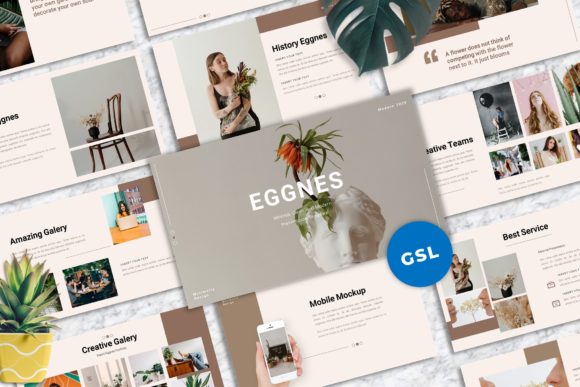
In the world of digital presentations, clarity often wins over complexity. I've found that the most impactful decks are those that communicate ideas without visual noise, allowing the core message to breathe. This is precisely the philosophy behind Eggnes - Clean Googleslide Templates. It's not just a collection of slides; it's a structured framework designed for professionals who value both aesthetics and function. The template embodies a modern, minimalist sensibility, characterized by ample white space, clean lines, and a deliberate focus on typography. Its personality is one of quiet confidence—professional yet approachable, sophisticated without being sterile. This makes it an exceptionally versatile asset, a true workhorse for anyone from a startup founder pitching investors to a photographer curating a visual portfolio.
More Than Slides: A Foundation for Visual Communication
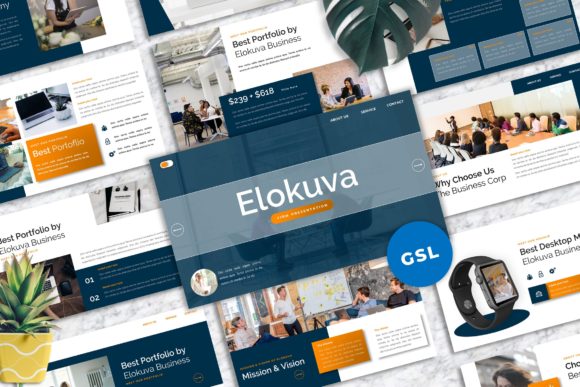
What sets Eggnes apart is its thoughtful construction as a system of design assets. At its heart are 40 master slide layouts, each meticulously crafted. This isn't a random assortment; it's a curated library of structures for everything from title pages and team bios to data visualizations and full-bleed imagery. The "master slides" approach is a game-changer for consistency. By building from these foundational templates, you ensure every element in your deck adheres to the same visual language, which is critical for establishing a strong brand identity during a presentation. The inclusion of unique mockup device frames is particularly clever, allowing you to showcase app interfaces or website designs in a context that feels immediate and professional.
The practical, real-world value is immense. The drag-and-drop image placeholders and easy color change functionality mean you can adapt the entire template to your brand's palette in minutes, not hours. For a small business owner, this means spending less time wrestling with software and more time refining your message. For a marketer, it means the ability to produce client-ready proposals or campaign recaps that look polished and intentional. The 16:9 widescreen ratio is now standard, but its proper implementation here ensures your content looks expansive and modern on any screen, from a laptop to a conference room projector. The vector-based icons are another subtle but powerful feature, allowing for infinite scaling without loss of quality—essential for both digital sharing and high-resolution printing of supplementary materials.
Strategic Applications: From Pitch Decks to Personal Portfolios
The true test of a premium template like this is its adaptability across diverse projects. Let's consider its use in corporate and startup environments. The clean, sans-serif typography and structured layouts project professionalism and reliability, which is exactly what you need when presenting financial data, quarterly results, or a business plan. The strong focus on visual hierarchy ensures that key metrics and takeaways are immediately apparent to your audience, directly influencing their engagement and comprehension.
For creative studios, agencies, and freelancers, Eggnes becomes a canvas. A graphic designer could use it to walk a client through a logo design process, with dedicated slides for mood boards, typography explorations, and final mockups. A photographer can leverage the picture placeholder layouts to create a stunning visual narrative for a project or a client gallery review. The template's minimalist style acts as a perfect gallery wall, ensuring the work itself is the star. This is where the concept of a "clean" template truly shines—it doesn't compete with your content; it elevates it.
Even for personal projects, its utility is clear. A blogger or content creator preparing a workshop or a keynote speech can use it to build a deck that feels both personal and professionally assembled. The ability to easily change colors and fonts (with recommended free web fonts included) allows for a high degree of personalization, helping you to build recognition and a cohesive personal brand across all your touchpoints.
Integrating This Template Into Your Workflow
Adopting a new design asset should be seamless. My advice is to start by reviewing the documentation file included with Eggnes. It details the recommended fonts, which are free web fonts, eliminating any licensing headaches and ensuring cross-platform compatibility. This is a crucial step for maintaining brand consistency, especially if your team works across different devices or operating systems.
When beginning a new project, don't just pick a slide at random. Instead, think about your narrative arc. Use the master layouts to map out your story: a compelling title, a problem statement, your solution, supporting data, team credentials, and a clear call-to-action. The template provides the skeletal structure; you provide the strategic muscle and creative flesh. Because all graphics are resizable and editable, you have the flexibility to tweak layouts as needed. Perhaps you need to combine elements from two different master slides to create a custom hybrid for a specific data set—the system allows for that without breaking the overall design integrity.
Finally, remember that the images in the preview are for demonstration only. This is your opportunity to inject your own visual identity. Source high-quality, relevant imagery that resonates with your brand and message. The placeholder system makes this a simple drag-and-drop process, but the selection of those images is where your unique story is told. Pair the clean framework of Eggnes with your authentic content, and you'll create presentations that don't just share information, but build connections and drive results. It’s a tool that respects your time and your audience's attention, which in today's cluttered digital landscape, is a rare and valuable thing.