Mastering PLR Canva Digital Planner Templates for Your Business
Understanding the Core Value of Hyperlinked Navigation
When you are building a digital product business, the difference between a frustrating user experience and a seamless one often comes down to the technical foundation of your assets. For anyone looking to enter the market with PLR Canva Digital Planner Templates, the most critical feature to understand is the hyperlinking. It is not enough for a digital planner to just look good on the screen; it must function like an app. This specific template set focuses heavily on user experience, offering hyperlinked daily, weekly, and monthly pages. This architecture allows your customers to jump instantly from a monthly overview to a specific Tuesday's schedule without scrolling through dozens of pages.
Think of this navigation as the "UX design" of your digital stationery. Just as a well-designed website has a clear menu bar, a high-quality digital planner relies on clickable tabs and icons. In this set of PLR Canva Digital Planner Templates, the inclusion of icons and tabs is not merely decorative. They serve as the primary navigation tool. When you sell a planner with 71 pages of interconnected links, you are selling efficiency. You are allowing your audience to move through their planning process with quick, intuitive clicks, which is essential for retention and positive reviews in the digital marketplace.
Visual Personality and Brand Consistency
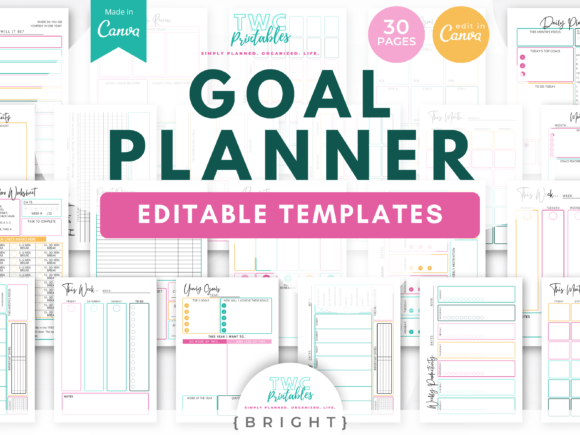
From a branding perspective, the visual style of these templates leans into a "Soft Blue and Pink" aesthetic. This is a strategic choice that appeals to a broad demographic, particularly within the creative and lifestyle niches. The color palette suggests calmness, organization, and a touch of femininity without being overly restrictive. When you utilize these PLR Canva Digital Planner Templates, you are working with a modern typography environment that prioritizes readability. The layout balances white space with structured grid lines, ensuring that the pages do not feel cluttered even when fully populated with data.
As a creator, you need to consider how this visual personality fits into your overall brand identity. If your brand is built on minimalism and soft pastels, these templates are ready to use with minimal edits. However, the true power of PLR (Private Label Rights) lies in customization. Because the files are delivered as Canva access links, you have the freedom to adjust the color hex codes to match your specific brand guidelines. You can change the soft pink to a corporate navy or the baby blue to a vibrant teal. This flexibility allows you to take a generic template and turn it into a cohesive piece of your brand identity, ensuring that every page your customer opens feels like a direct extension of your business.
Practical Applications for Designers and Entrepreneurs
The versatility of these PLR Canva Digital Planner Templates extends far beyond simple daily scheduling. For content creators and marketers, the inclusion of trackers, lists, and notes pages makes this an ideal tool for content planning. Imagine using the monthly view for an editorial calendar, the weekly view for campaign scheduling, and the daily view for task management. This structure supports complex workflows, making it a valuable asset for social media managers and digital marketing agencies.
For those in the niche of selling digital products, the "Undated" feature is a significant financial benefit. Unlike dated planners that expire at the end of a calendar year, an undated planner is a one-time purchase for the customer that can be reused indefinitely. This increases the perceived value of your product. Furthermore, the inclusion of a sticker book adds a layer of gamification and personalization that digital planner enthusiasts crave. By bundling the planner with the "Soft Blue and Pink Creative Cute" sticker set, you create a more comprehensive ecosystem for your user, encouraging them to engage with the product creatively rather than just functionally.
Optimizing the Product for Resale
Success in selling digital templates relies on how well you present the asset. When you purchase these PLR Canva Digital Planner Templates, you are acquiring the raw material for a business. To maximize conversion rates, you must treat the template as a design asset that requires proper presentation. This means creating high-quality mockups that showcase the hyperlinked functionality. A static image of a planner cover is rarely enough to sell a digital planner; you need to demonstrate the clicking experience. Screen recordings or animated GIFs showing the instant jump from a tab to a specific page can significantly boost buyer confidence.
Additionally, consider the commercial font usage and licensing. Since you are using PLR content, you are licensed to resell the final product. However, it is good practice to review the fonts used within the Canva template to ensure they align with the tone of your marketing copy. If the template uses a handwritten font for headers, your marketing materials should perhaps echo that playful tone. If it uses a sans serif font for body text, emphasize the modern, clean readability in your sales descriptions. By aligning the product's internal design with your external marketing, you create a seamless brand experience that fosters trust and encourages repeat purchases.